Email integration
emailLink existing NC Mail messages to Open Register objects. Read-only references — composing and sending stay in NC Mail (and in n8n workflows for outbound automation).
Link email threads to an object as read-only references. Composing and sending are not part of this leaf by design: NC Mail owns compose, and outbound automation lives in n8n workflows (per AD-2 of nextcloud-entity-relations). The integration writes nothing back to the message; it stores a (messageId, accountId, cached subject/sender/date) tuple in openregister_email_links.
Screenshot
The integration registers in OpenRegister's in-page registry and renders as one of the tabs on the standalone integrations view. The tab is highlighted active here so you can see exactly which surface this leaf controls.
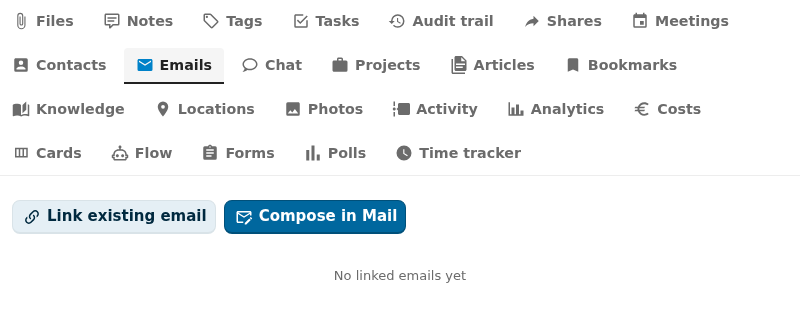
Captured by tests/e2e/leaf-screenshots.spec.ts against the seeded integration-verification register on the dev container. Empty state (Nothing linked yet) is expected on a freshly seeded object — link an upstream entity from the tab's + Add affordance to populate it.
What it does
- Lists linked emails on the Emails sidebar tab, with subject, sender, and received date.
- Lets users link an existing message via the picker (account → folder → message).
- Quick-link from a forwarded-message header when an object opens straight after an email click-through.
- Lets users unlink. The link row is removed; the message itself stays in NC Mail.
- Surfaces a sender's full linked-object set via
GET /api/emails/by-sender/{address}.
Setup
1. Install NC Mail
Install the mail Nextcloud app and have at least one IMAP account configured. Without it, the Emails tab stays hidden and the OCS capabilities mark the leaf enabled: false.
2. Use it on an object
Open any object whose schema declares linkedTypes: ['email']. The Emails tab appears in the sidebar.
- Link an existing message — opens the picker. Pick an account, drill into a folder, select the message. The integration captures the messageId + accountId, plus cached subject / sender / date.
- Quick-link via forwarded header — when a user opens an object straight from a "Forward to register" mail flow, the Emails tab shows a banner: "Link this email?". One click adds the row.
- Unlink — removes the link row only.
Configuration
| Field | Open Register side | NC Mail side |
|---|---|---|
| Storage | link-table (openregister_email_links) | None (read-only) |
| Mapping | mail account id, message id, cached subject/sender/date | NC Mail oc_mail_messages.id |
| Refresh | Cached on link (subject/sender/date refresh on read if stale) | — |
| Sending | Out of scope (use n8n workflows for outbound) | — |
| Permissions | Inherits from object RBAC | NC Mail user owns the mailbox |
Cached fields
The link row caches:
subject     — first 200 chars of the Subject header
sender      — From: address (lower-cased for search)
mailDate    — received date
mailMessageUid — IMAP UID for direct deep-link
The cache means the Emails tab renders without an IMAP round-trip per row. NC Mail's oc_mail_messages table is the source of truth and is consulted only on link, on unlink, and on sender-search.
Using it
Emails sidebar tab
The tab lists linked messages ordered by received date descending. Each row shows subject, sender, date, and a "open in NC Mail" anchor that deep-links to the message in Mail. The "Link existing email" button at the top opens the picker.
Detail-page widget
Surfaces this object's emails plus a "Link email" CTA. The same data the tab uses, in a card.
Dashboard widgets
user-dashboard— your most recent linked emails across every object.app-dashboard— emails scoped to the consuming app's register/schema.
Reference property
A schema property typed as { "type": "string", "referenceType": "email" } renders the linked message's subject + sender chip in CnFormDialog and CnDetailGrid. Useful for "originating email" fields.
Reverse lookup by sender
To find every object that has at least one email from a given sender:
GET /index.php/apps/openregister/api/emails/by-sender/sender@example.org
Returns a list of { objectUuid, register, schema, messageId, mailDate }. Use this on a contact detail page to surface "what cases has this sender appeared on?".
Why no compose
Email compose is intentionally out of scope. NC Mail owns the compose UI and the outbound path. For automated outbound (case reply, status change notification), use an n8n workflow triggered on the Open Register object event. The workflow has access to both the object data and an SMTP account; it sends the mail and (if you want) loops back via the linkEmail API to record the outbound link.
Troubleshooting
- Picker shows no accounts. The user has no NC Mail account configured yet. Open NC Mail and set one up first.
- Subject shows as "(no subject)" for an old link. The cache fell back to NC Mail; if Mail can't find the message anymore (deleted from the server), there's no subject to show. The link row stays for audit.
- Tab is missing. Either NC Mail isn't installed or the object's schema does not declare
linkedTypes: ['email']. Check both. - A 503 with "Mail database not reachable." Rare; means NC Mail's database schema has changed in a way the integration can't follow yet. File an issue with your NC version + Mail app version.
Related
- Leaf integration system — how every leaf wires the same way.
- Contacts leaf — link the sender as a contact for two-way navigation.
- Pluggable integration registry — the full ADR-019 contract.
- n8n workflows (see Conduction docs) — the canonical place for automated outbound mail.